Performance Analysis with OpenSees
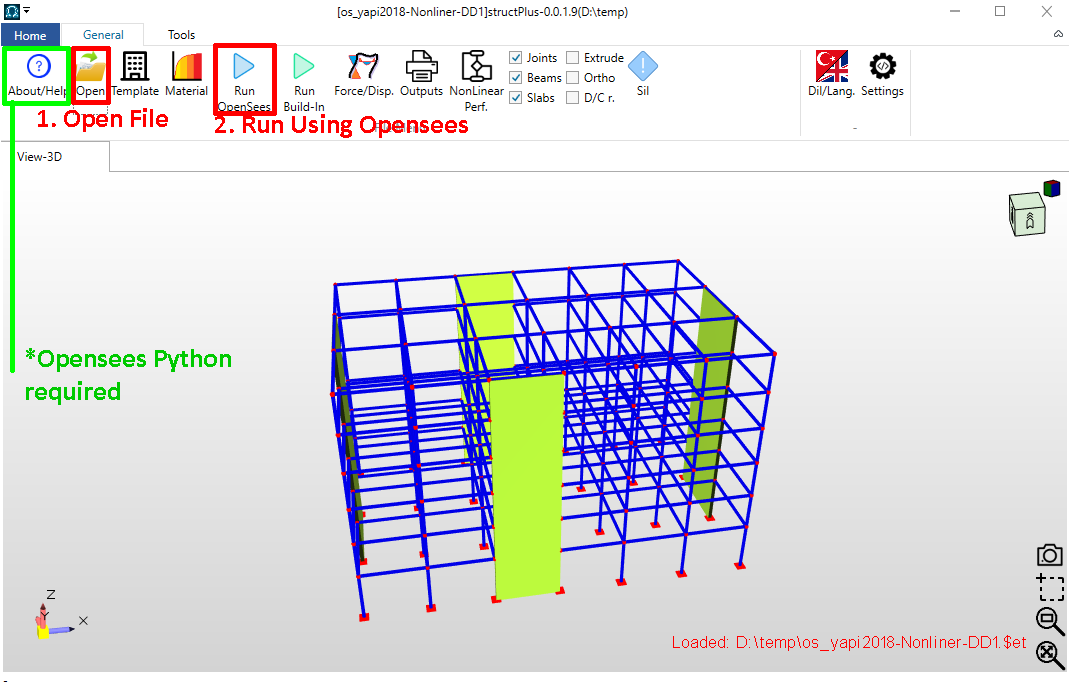
With StructPlus software, you can perform dynamic analyses and evaluate structural performance using nonlinear models. StructPlus executes nonlinear dynamic analyses by exporting data to the OpenSees framework and determines the seismic performance of the structure based on the results. OpenSees and Python must be pre-installed on your computer. To proceed, follow these steps:
- Open the project file.
- Solve the system using the "OpenSees Analysis" option.
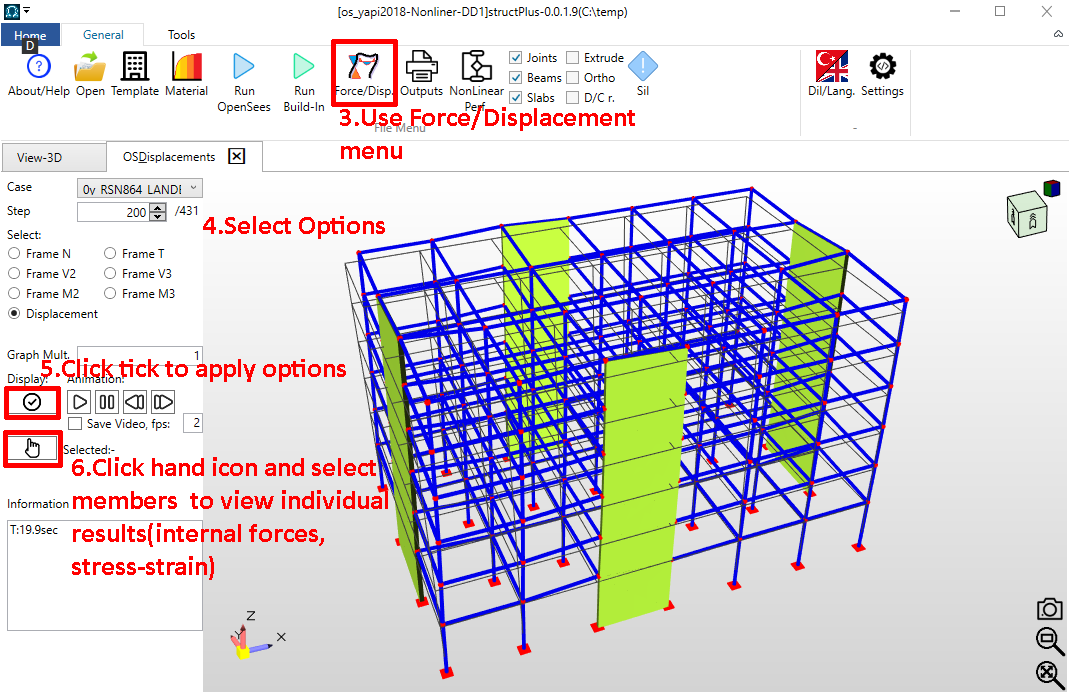
- Enter the "Force/Displacement" menu to examine the OpenSees results.
- Select the specific attribute you wish to visualize.
- Click the "Confirm" (Checkmark) button.
- To view element-specific results, click the "Hand" (Select) button and pick the desired element.
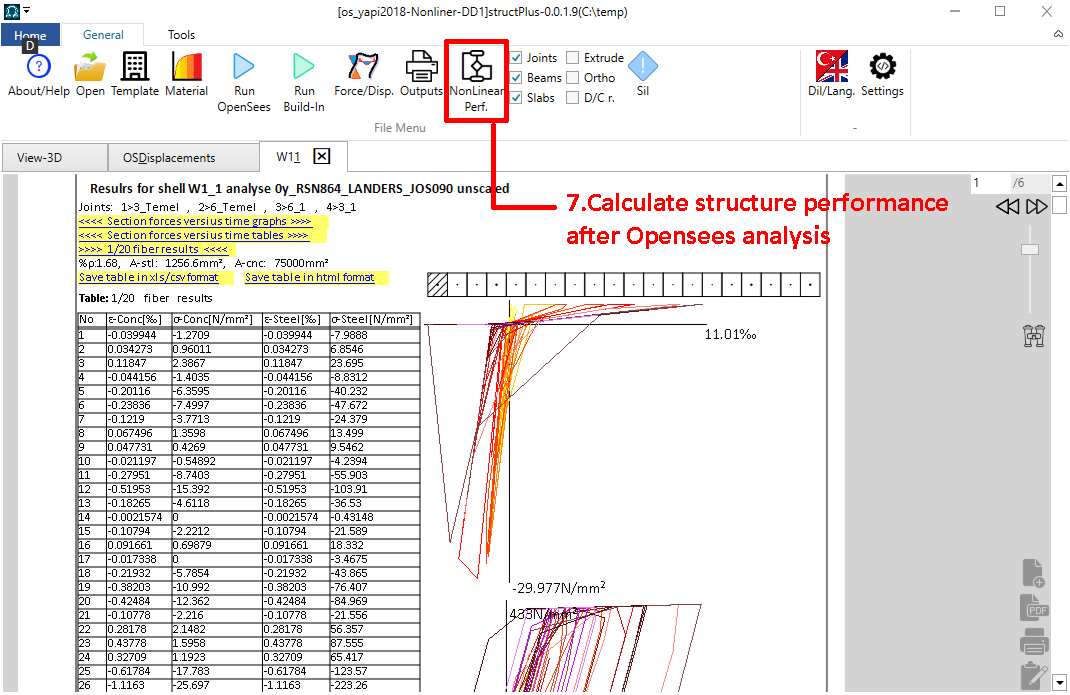
- Once the solutions are generated, click the "Performance" button.
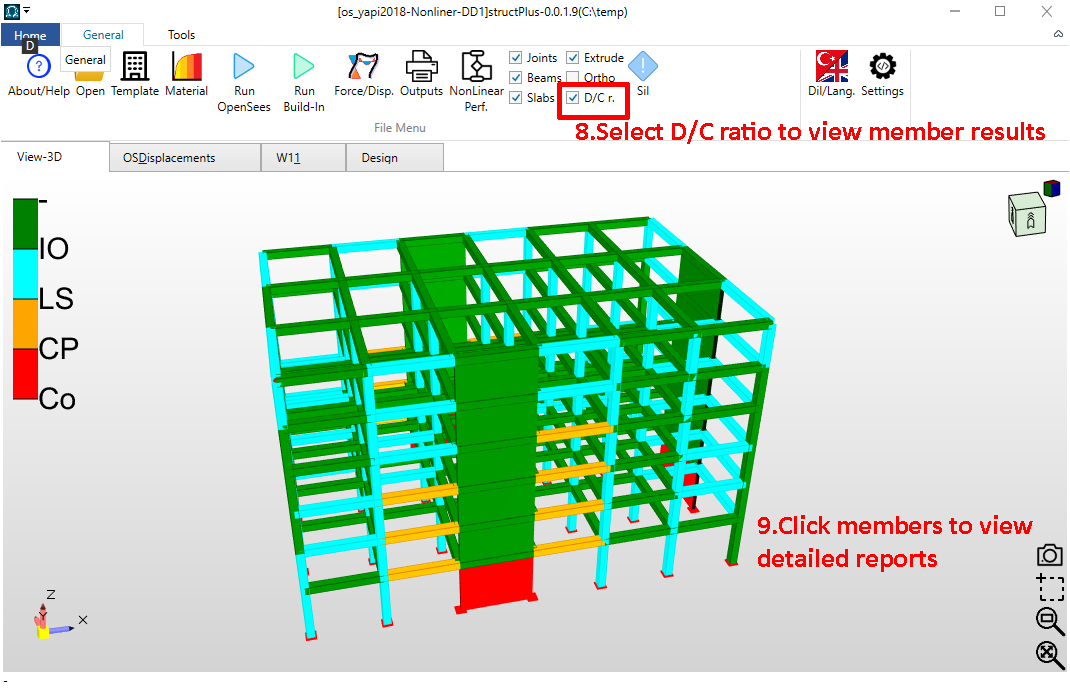
- After the performance analysis is complete, check the D/C (Demand/Capacity) ratios.
- Click on individual elements to examine detailed results.
- Use the "Output" section to generate collective reports.